3D Object
Sample and reference external 3D models within the node graph for hybrid parametric and imported workflows.
2 nodes in this group
Nodes
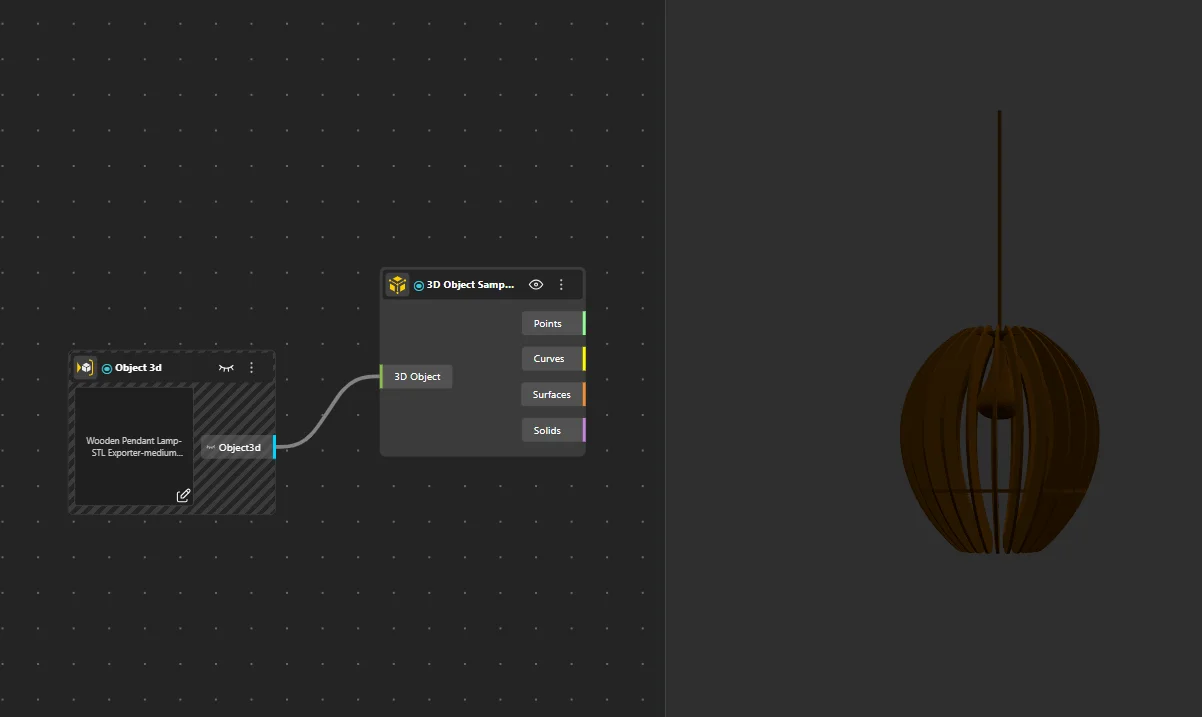
3D Object Sampler
Behavior
References an imported 3D object and outputs it as geometry within the node graph. The Sampler always requires a 3D Object input - it cannot function without one connected. The only valid node that can feed this input is the Object 3D node from the Input group, which holds the uploaded 3D file - supports .stl, .step, and .iges formats only. Once sampled, the geometry can be transformed, arrayed, combined with parametric shapes, or rendered like any other geometry in the graph.
Inputs
3D Object
Outputs
Points, Curves, Surfaces, Solids
Pairs With
Object 3D
Mesh Contour
Behavior
Creates contour curves from a mesh using parallel cutting planes. The base cutting plane (default XY) is repeated at the given Distance (default 20) to produce parallel section planes, and Point Count (default 10) sets how many points are sampled on each contour. The 3D Object input takes a mesh-based 3D object, for example from the Object 3d node.
Inputs
3D Object, Plane, Distance, Point Count
Outputs
Contours, Points